





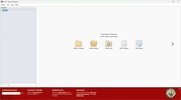
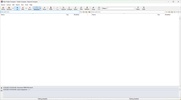
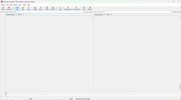
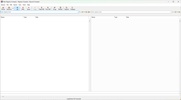
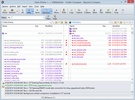
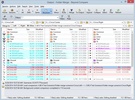
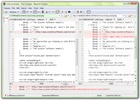
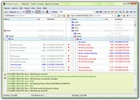

Beyond Compare is a powerful tool designed to accurately compare files and folders, making synchronization, code review and version management much simpler. Its ability to analyze differences in content, structure and metadata makes it an ideal solution for programmers, system administrators and users who need to manage large volumes of data efficiently. Thanks to its intuitive interface and advanced automation features, Beyond Compare simplifies complex tasks and allows you to maintain consistency between files and folders. Download Beyond Compare for free and compare any item in Windows.
Advanced file and folder comparison in a range of formats
Beyond Compare offers you the ability to compare documents, images, source code, compressed files and even databases, providing a detailed overview of the differences between versions. It can handle various file types, making for a versatile tool, ideal for reviewing text documents and for detecting changes in binary files. For text files, the software highlights any differences line by line, making it easy to identify modifications to source code or configuration documents. In addition, it supports Word and PDF, allowing for visual comparison of office files. With images, Beyond Compare can detect pixel alterations and color variations, which is useful in the fields of graphic design and photography.
Accurate file and folder synchronization
Synchronization is one of Beyond Compare's most outstanding features, allowing you to keep identical copies of files in different locations. With its ability to compare and update entire directories, this software makes for simpler backup management, server administration and team project synchronization. You can also define custom rules to synchronize only the most recent files or files that meet specific criteria, avoiding unnecessary data overwrites. What's more, its support for FTP servers, cloud storage and external drives makes it easy to manage data in multiple environments.
Code review and version control for developers
Beyond Compare is an essential tool for programmers who need to analyze source code changes and resolve conflicts in version control repositories. Compatible with systems such as Git, SVN and Mercurial, thanks to this software you can visualize differences in code files with syntax highlighting and support for various programming languages. By integrating with development tools and the possibility of combining modifications manually make it a practical solution for collaborative software teams. Its side-by-side comparison system allows developers to identify changes with precision and merge code versions efficiently.
Compare compressed files and control data on servers
In addition to standard files, Beyond Compare allows you to analyze the differences found in compressed files, such as ZIP, RAR and TAR, without having to extract them. This facilitates software package and archived file management, allowing you to compare contents directly from the program interface. Beyond Compare is a valuable tool in enterprise and system administration environments for server auditing, as it allows you to compare configurations, detect unauthorized changes and ensure consistency between machines. Its ability to manage files on remote servers streamlines computer system maintenance and monitoring tasks.
Automate tasks and generate detailed reports
To optimize your workflow, Beyond Compare presents automation options through customized scripts, allowing you to schedule regular comparisons and synchronizations. This is especially useful for recurring processes, such as backups, version control and data integrity validation. You can even export detailed reports in HTML and XML format, making it easier to document differences and generate reports for audits or quality reviews. The ability to view changes in graphical or tabular format improves the understanding of the changes made to files or directories.


 1 reviews















Comments
Hello, Where can I find a user manual, preferably in French? Thank you. Best regards.